| Support Category: SSO |
| Specialist Notes: |
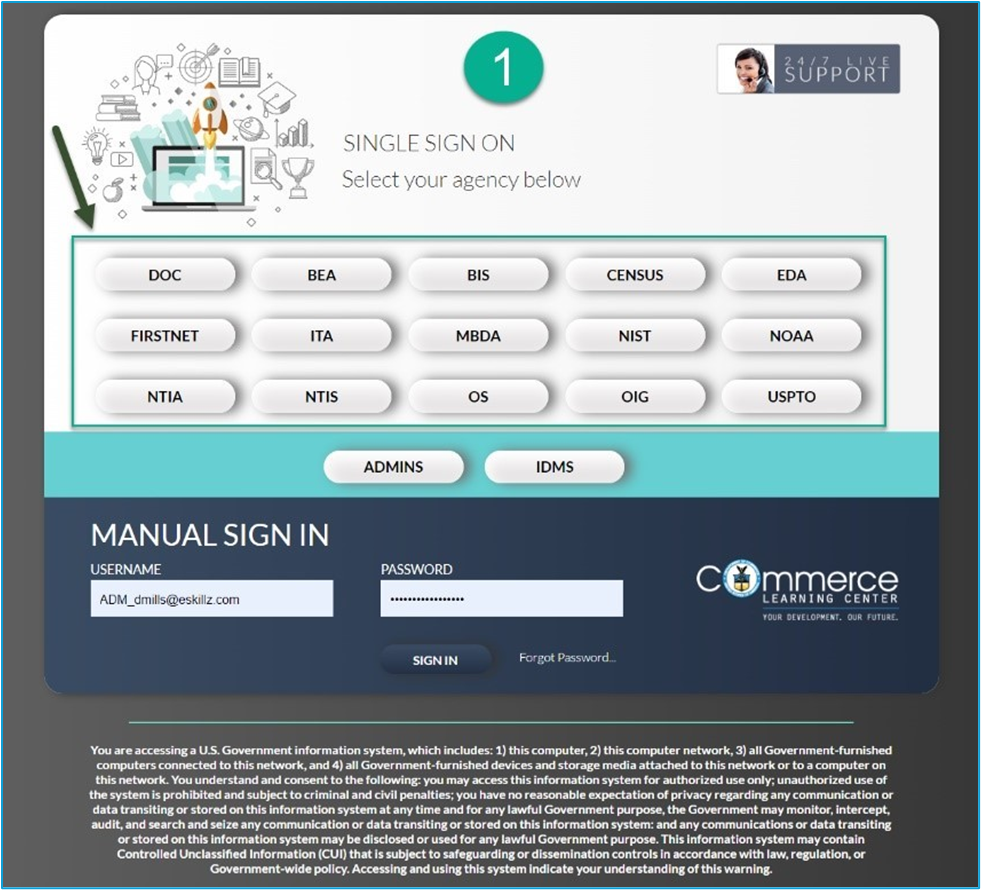
DOC ITA has always used SSO as the primary method for their end-users to log into the CLC.
Users are required to register with the OKTA SSO system to be able to log into the CLC using OKTA SSO. Users were sent several emails from the OKTA Team requesting that they register with the OKTA system. It is known that a significant percentage of DOC users did not register and may see the following error message when attempting to sign in via their PIV/CAC card.
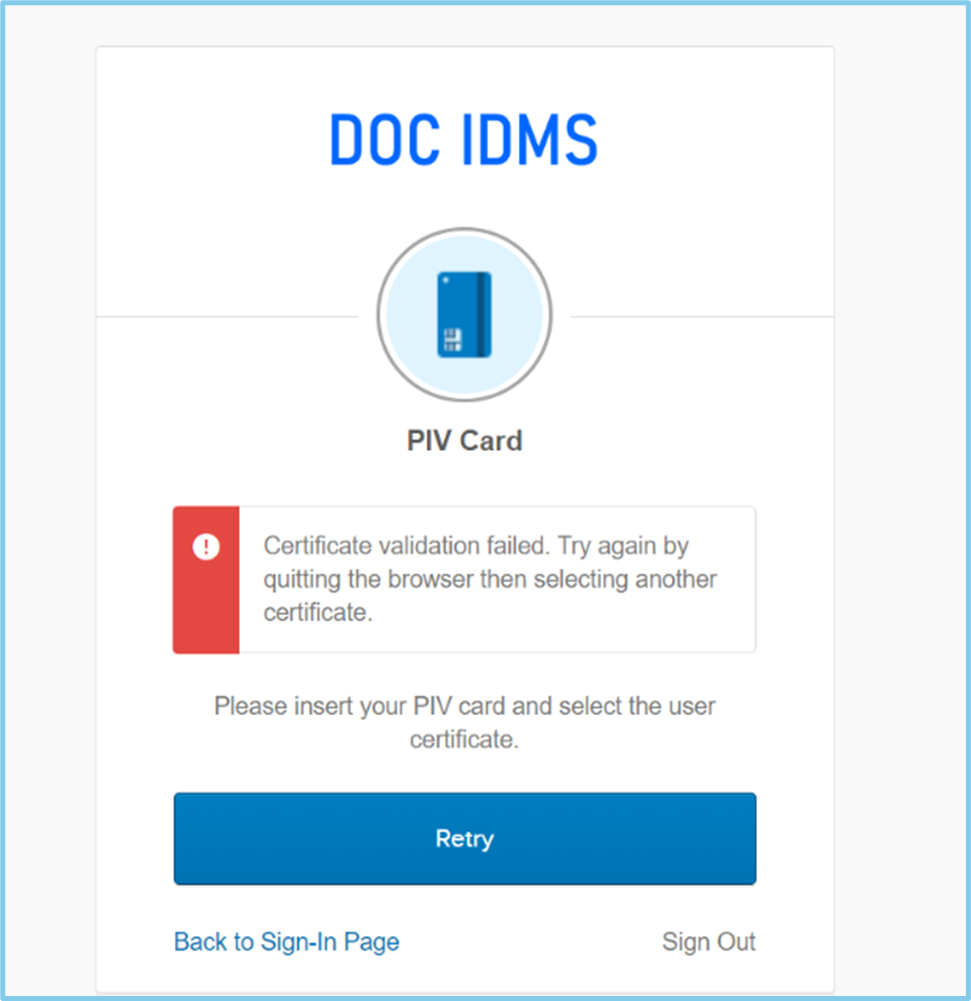
The same troubleshooting steps and guidance provided in the DOC_OKTA_Registration.docx as well as the SR apply to those who may contact us from Mexico City.
Also, some users may lock their OKTA account by too many login attempts using Username/Password.
Please use the following document to troubleshoot and assist users.
DOC_OKTA_Registration.docx
IMPORTANT! The DOC ITA Administrators have given us permission to reset users’ passwords should logging in via SSO not work. Please use the I Need My Password Reset SR to process a password reset. This is for users ONLY. Not ‘ADM_’ or ‘ADMLC-’ accounts. |
| Standard Response: |
Recently DOC transitioned to the OKTA IDMS to support single sign-on into the CLC. ITA users must complete the OKTA registration process. If you missed the registration window or your account is locked out, please contact OS IT Help Desk assistance at ITSD@doc.gov or 202-482-5010.
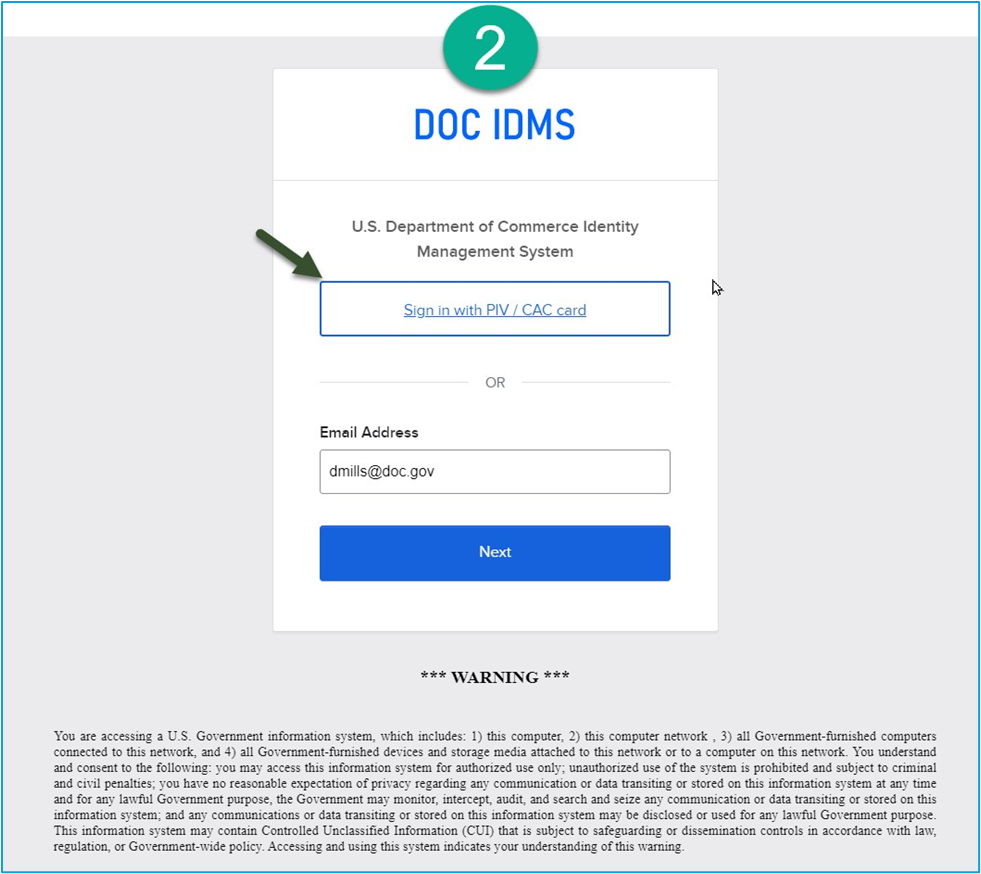
When logging into CLC using your bureau button, you may be prompted to verify your identity (see screenshot #2 below).
When prompted, please select the “Sign in with PIV/CAC card” option to complete the verification process. If you do not have a PIV card and are not registered, or are having difficulty signing in with your email address, please contact your bureau specific IT help desk.